How to Use a Jump Starter Safely
What Is the Short Answer?
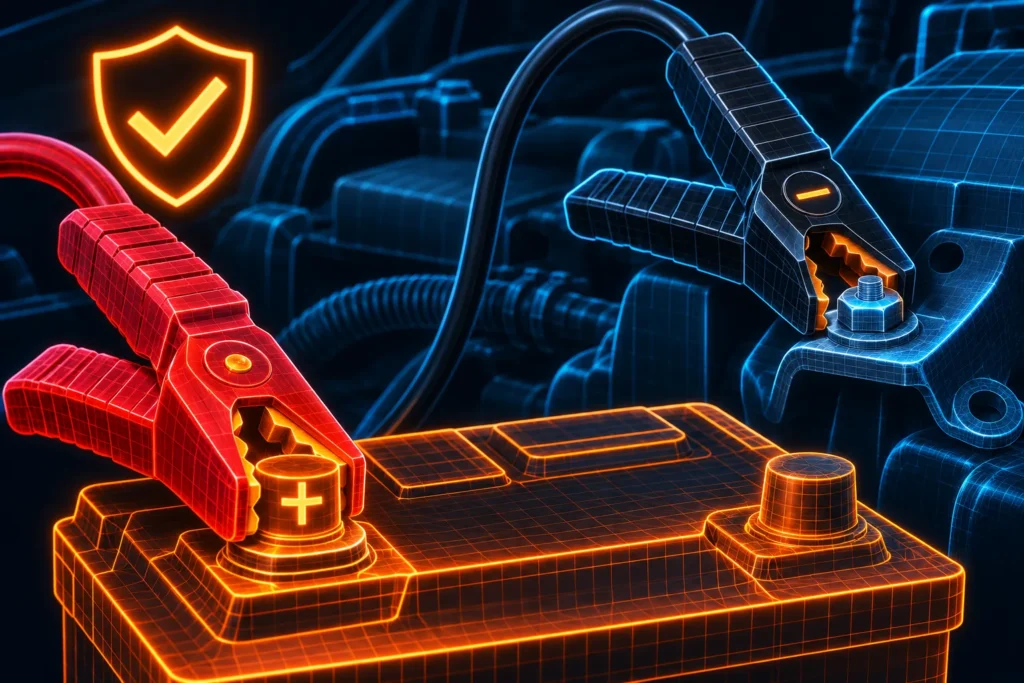
Read your unit’s own manual first, because the rules differ by brand. In general: turn off the vehicle’s loads, connect red to positive and black to negative or bare metal, wait for the unit’s connection light, start the engine and remove the clamps right away. Treat boost and override buttons as a last resort, because on some units they switch off safety checks.
This page is general guidance drawn from the manuals we read. It does not replace the manual for your unit or your vehicle. Some manuals we read are copies on third party hosts. Where a rule comes from a manual, we name it.
Before You Begin
- Read the manual for your unit.
- Check the unit’s own charge. The GOOLOO A3 manual says its battery should show at least two bars. The WOLFBOX MegaVolt24 manual says the unit’s battery should not be below 50 percent when you use boost.
- Check the unit and cables for damage. The NOCO GBX155 guide says not to use the product if it is damaged, and not to jump start a damaged or frozen battery.
- Turn off headlights, radio, air conditioning and other loads in the vehicle.
- Check your battery type. NOCO’s GBX155 guide says the unit is for 12 volt lead-acid batteries only.
- Work in a well ventilated area and keep sparks and flames away, as the GBX155 guide says.
Connecting and Starting
- Connect the red clamp to the positive terminal.
- Connect the black clamp to the negative terminal or to bare metal on the engine or frame, as your manual says.
- Wait for the connection signal. See the table below.
- Start the vehicle.
- Remove the clamps right away.
- Turn the unit off and stow it.
Model by Model: Do Not Mix the Rules
| Unit and source | Connection signal | Start limits | Boost or override |
|---|---|---|---|
| NOCO GBX155 (NOCO user guide, June 26, 2024) | White Boost LED lights, then a 60 second countdown begins | If it does not start, wait 20 to 30 seconds and try again. After 60 seconds, turn the unit off and on. No more than five consecutive starts in 15 minutes, then rest 15 minutes | Manual override below 3 V: hold the override button three seconds, the Boost LED flashes white. It disables all safety measures and the 60 second timeout |
| NOCO GB70 (NOCO user guide, document dated 03.07.2025A; the December 2024 data sheet shows the same three second override hold) | White Boost LED lights | Unit may stay connected up to 30 seconds. No more than five consecutive starts in 15 minutes | Manual override below 2 V: hold three seconds. Removes safety protection |
| NOCO GB40 (manual copy on ManualsLib; December 2024 data sheet for the override hold) | LEDs flash once. White Boost LED means a proper connection. Red Error LED means reverse polarity | Not found in the pages we read | Boost LED off with cables connected means the battery may be below 2 V. Remove loads or use override |
| GOOLOO A3 (manual copy, JS-506, and GOOLOO A3 tutorial page) | Solid green LED. Start within 30 seconds of it | No more than three starts in a row, two minutes apart. Let it cool 30 minutes before recharging | BOOST for very low batteries. Press it only after the cable is connected correctly |
| WOLFBOX MegaVolt 24Air (manual copy) | Not described in the pages we read | Eight starts in 10 minutes, then rest 10 minutes | BOOST: hold once for a battery of 0.0 to 10.5 V |
| WOLFBOX MegaVolt24, no compressor (manual copy, V1.0) | Not described in the pages we read | No more than three starts in a row, then wait two minutes. Remove the clamps within 30 seconds | BOOST only if a normal start fails. Avoid it when vehicle voltage is below 9 V. The unit’s own battery should not be below 50 percent |
If your unit is not in the table, use its own manual. Do not carry one brand’s numbers to another.
Why Boost and Override Deserve Respect
Many units have a button for batteries so flat that the unit cannot detect them. On the NOCO units, the guides say this mode disables the spark-proof and reverse polarity protection, and the GBX155 guide warns it can cause injury or death if misused. With the checks off, nothing stops a wrong connection, and a wrong connection can cause sparks and heat. Connect correctly first, keep the clamps apart, and press the button last.
What the Lights Mean
Each unit has its own signals. Learn yours before you need it. Examples from the sources above:
- NOCO GBX155: a Cold LED lights solid or flashes blue when the internal temperature is too low, and a Hot LED lights red when it is too high. A double flash means high voltage detected at the clamps, such as a 24 volt system.
- NOCO GB40: a blinking red light means the internal battery is too hot.
- GOOLOO A3: a solid green LED means a correct connection.
Heat and Cold
- NOCO GBX155 guide: operating minus 20 to plus 50 degrees Celsius, charging 0 to 40. Do not heat the product above 60 degrees Celsius.
- NOCO GB40 and GB70 data sheets (December 2024): operating minus 20 to plus 50 degrees Celsius, charging 0 to 40.
- GOOLOO A3 manual: operating minus 20 to 60 degrees Celsius. Above 60 the cells may be damaged. GOOLOO’s tutorial page gives a separate storage range of minus 10 to plus 45 degrees Celsius. Storage, operating and charging ranges are different numbers, so do not swap them.
- WOLFBOX MegaVolt 24Air manual: cold protection below 0 degrees Celsius, lifted above 5. Heat protection above 55, lifted below 45.
Do not leave a unit in a hot car for long. Do not charge it right after it has sat in a freezing car. Bring it indoors first.
Storage and Charging
- Charge fully before first use. The NOCO GBX155 guide and the GOOLOO A3 manual say so.
- Recharge on a schedule. The A3 manual and GOOLOO’s tutorial page say at least every three months. The WOLFBOX MegaVolt24 manual says every three months. The 24Air manual says every six.
- Disconnect the unit from power when it is not charging, and avoid charging for more than a week at a time. The NOCO GBX155 guide says so.
- Store NOCO units indoors, as its guide says.
- Do not charge and use a unit at the same time unless the manual allows it. NOCO’s GB70 guide recommends against it.
What to Avoid
- Do not connect the clamps to each other.
- Do not use the unit on a battery type the manual does not allow.
- Do not charge or use a damaged unit.
- Do not hold boost down in hope of a start.
- Do not use third party chargers or cables where the maker warns against them. NOCO’s guide says it does not recommend them.
- Do not use a jump starter on a vehicle whose manual forbids it. We found no manufacturer guidance for hybrid or electric vehicles, so check the vehicle manual.
Using the Compressor Safely
For units with a compressor, follow the manual. The WOLFBOX manual says to check for leaks if the pressure does not reach 20 kPa in 50 seconds. Set the target pressure from the label in the driver’s door jamb. See Jump Starter Air Compressors: PSI, Flow and Limits.
Frequently Asked Questions
Which clamp goes on first?
The manuals we read start with the red clamp on the positive terminal. Check yours.
Can I connect the black clamp to bare metal?
Manuals differ. Some say negative terminal or bare metal. Follow yours.
How long can I keep the clamps on after the engine starts?
Remove them right away. The WOLFBOX MegaVolt24 manual says within 30 seconds, and the GBX155 guide has a 60 second timeout.
Is boost safe?
It is a last resort. On NOCO units it disables safety checks.
How many times can I try?
The manuals give different limits: five in 15 minutes (NOCO), eight in 10 minutes (24Air) and three in a row (MegaVolt24). Check yours.
Can I use a jump starter in the rain?
Some units list a dust and water rating, such as IP64 or IP65. The GBX155’s IP65 applies with the ports closed. A rating does not make wet cables safe. Dry the area first.
The Bottom Line
Use the manual, connect in order, start briefly and remove the clamps. Learn your unit’s boost rule, watch temperature and keep it charged. Do not carry one brand’s numbers to another.
Sources
- NOCO Boost X GBX155 User Guide and Warranty, June 26, 2024: https://no.co/media/wysiwyg/downloads/User_Guides/Boost_X/GBX155_User_Guide_06.26.2024.pdf
- NOCO Boost HD GB70 User Guide & Warranty (NOCO, document dated 03.07.2025A): https://no.co/media/wysiwyg/downloads/User_Guides/Boost/GB70-User_Guide_03.07.2025A.pdf and the December 2024 data sheet: https://no.co/media/wysiwyg/downloads/brochures/Boost/GB70_Data_Sheet_12.05.2024.pdf
- GOOLOO A3 tutorial, manufacturer page, read 2026-10-30 (A3, not A3 Pro): https://us.gooloo.com/blogs/tutorials/a3-jump-starter
- Manual copies on third party hosts for the NOCO GB40, GOOLOO A3 (JS-506), WOLFBOX MegaVolt 24Air and WOLFBOX MegaVolt24 V1.0 (ManualsLib and manuals.plus).
- Amazon listings, titles and bullets read on 2026-10-29.